
TRICARE East
Humana Government BusinessMedical
3.8550.00 Reviews
- Version
- 3.2.4
- Installs
- 100.00K
- Age Rating
- Everyone
Screenshots
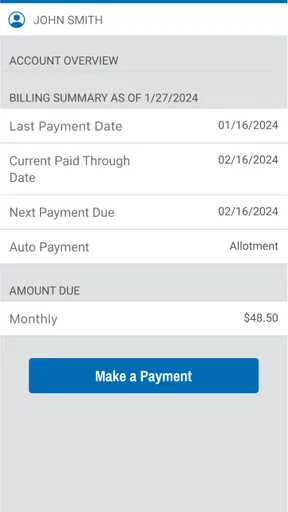
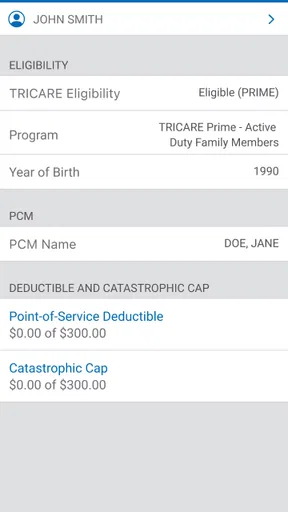
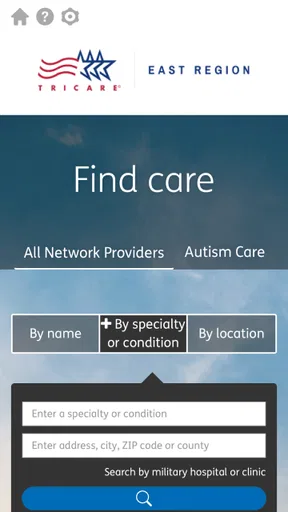
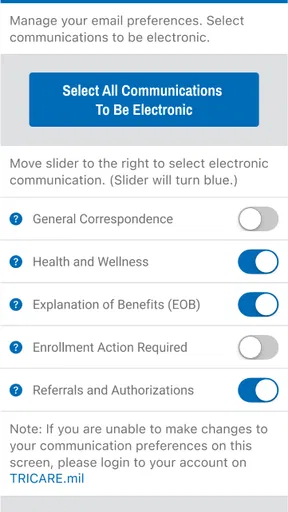
Our Review of TRICARE East
 Analysis by Appyee
Managing health coverage from a phone sounds simple until a sign-in screen refuses to cooperate, a page takes too long to load, or you are unsure whether a problem belongs to the app or to your plan. I approached TRICARE East with that practical concern in mind. It is a free medical app from Humana Government Business, intended for beneficiaries in the East Region rather than for general health tracking or everyday fitness.
That distinction matters immediately. This is not a replacement for a doctor, an emergency service, or a broad insurance marketplace. Its value depends on whether you are covered through the relevant TRICARE region and whether the task you need to complete is supported by the current mobile experience. For the right user, having plan-related information close at hand can be much more convenient than searching through paperwork or switching between unrelated websites. For someone outside the East Region, however, installing it is unlikely to solve anything.
Where the experience usually gets stuck
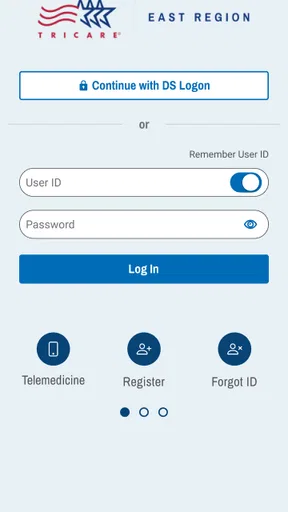
The first point of friction is often not navigation but access. A beneficiary may download the app expecting to browse immediately, then discover that useful information depends on identifying the correct account or coverage context. When that happens, it is easy to blame the application, even though the real issue may be an incorrect login detail, an account mismatch, or trying to use a regional service from outside its intended audience.
I recommend treating the opening session as a short preparation task rather than something to rush through. Have the account information you normally use for your TRICARE-related services available, and check that you are selecting the East Region context where applicable. A small mistake in an email address, password, or verification step can look like a broken app when it is really an authentication problem.
Another common source of confusion is expecting the app to behave like a complete medical record. A plan-management application has a narrower job. It may help you handle coverage-related tasks, but it should not be treated as a diagnostic tool or as a substitute for contacting a healthcare professional. If you are looking for symptom analysis, medication advice, or urgent care guidance, a dedicated clinical resource or a qualified medical provider is the better choice.
The app’s public average is 3.8 from around 1,800 ratings, which suggests a mixed but usable experience rather than universal smoothness. I would read that as a reason to keep expectations realistic: convenience can be valuable, but a mobile insurance tool still depends on account services, regional eligibility, and the reliability of the connection behind the screen.
One useful habit is to identify the exact task before opening it. Are you trying to check a plan detail, locate information, or complete an administrative step? Entering with one goal makes it easier to notice whether the problem is a missing option, a failed session, or simply a feature that belongs somewhere else. It also prevents repeated tapping, which can make a temporary delay look like multiple failed requests.
Why regional eligibility changes the recommendation
The strongest reason to choose this app is also its main limitation: it is designed for beneficiaries in the East Region. That makes the audience specific. If your coverage belongs to another TRICARE region, the app is not a universal gateway that can be adapted to your needs. In that situation, the correct regional service or official support route is more appropriate than repeatedly reinstalling this one.
Families can also run into a practical identity question when more than one person uses the same device. Before assuming that information is missing, confirm that the active account is the one connected to the beneficiary who needs assistance. A session that belongs to another household member may show a different view or fail to answer the question you are trying to resolve.
I also would not use the app as the only place where important coverage information exists. Keep essential documents and contact details available through your usual secure channels, especially before an appointment or a trip. A phone app is convenient, but convenience should support your records rather than become the sole backup for them.
Setup checks that save time
The current version is 3.2.4, and the app was released on March 11, 2020. Those details tell me that this is an established service rather than a brand-new experiment, but they do not guarantee that every device or account session will behave identically. Before troubleshooting deeply, I would make a few basic checks in a sensible order.
- Confirm the region: Make sure your TRICARE connection is associated with the East Region and that you are not expecting another regional service to appear here.
- Check the account details: Re-enter credentials carefully instead of relying on an old saved entry that may contain a typo or outdated password.
- Use a stable connection: If pages remain blank or a request spins, switch between a reliable Wi-Fi connection and mobile data to see whether the behavior changes.
- Allow the session to finish: Repeatedly closing the app during sign-in can interrupt a verification process and create more confusion.
- Update through the official app store: Keeping the installed build current is a sensible first step when screens behave differently from what you expect.
These checks are deliberately ordinary because they solve a surprising number of mobile-service problems. I would avoid clearing everything immediately, especially if you are unsure whether you remember the account credentials. A reset can remove local session information without fixing a server-side or eligibility issue, leaving you with the same problem and an extra login hurdle.
Device compatibility is another practical consideration. The app is rated for Everyone, so its audience is broad, but that age label describes content suitability, not whether every phone will deliver the same performance. On an older device, limited storage, an outdated operating system, or aggressive battery management can interfere with loading. If the app opens but stops responding, closing other demanding applications and restarting the phone is a safer first move than repeatedly entering account details.
Notifications and permissions deserve a measured approach. I would grant only what the app clearly needs for the task in front of me and review the phone’s settings if an expected alert does not appear. A missing notification does not necessarily mean the underlying account action failed; it may simply mean the device is suppressing alerts. Checking the app’s notification settings and the phone’s general notification controls can distinguish those cases.
One particularly useful setup tip is to test the app before you urgently need it. Open it when you have time, confirm that you can reach the account area, and learn where the information you commonly use is located. That small rehearsal is more valuable than discovering a password problem in a waiting room or immediately before a call.
Separating a login problem from a service problem
A failed login and a slow account page can look almost identical from the user’s side, but they call for different responses. If the app rejects the credentials quickly, focus on account recovery and regional eligibility. If it accepts the session but a page remains incomplete, check the connection, wait briefly, and try again later rather than changing the password repeatedly.
Take note of the exact point where the process stops. Does the app close, return to the opening screen, show an error, or simply keep loading? That description is useful if you need assistance because “it does not work” gives very little direction. I find that writing down the screen name and the action that produced the issue often makes support conversations shorter and more productive.
Recovering a workflow without starting over
When a task fails halfway through, my first instinct is not to repeat every step immediately. I return to the main screen, check whether the account session is still active, and look for evidence that the action actually completed. Mobile connections can drop after a request has been sent, so a frozen screen does not always mean nothing happened.
If the app returns to the start, reopen it once and check the relevant area before submitting the same request again. This is especially important for administrative actions: accidental duplication can create unnecessary confusion. If there is no visible confirmation and the task is important, contacting the appropriate TRICARE support channel is safer than guessing.
A second recovery technique is to change one variable at a time. If you move from mobile data to Wi-Fi, do not also reset the password, reinstall the app, and switch devices in the same minute. You will not know which change helped, and you may lose useful clues. A controlled approach—reopen, test the connection, then try another device if necessary—keeps the diagnosis clear.
Reinstallation can be reasonable when the app repeatedly crashes or appears to have damaged local data, but I would place it after the simpler checks. Before removing it, make sure you can sign in again and that you know where your account recovery information is handled. Reinstalling is not a substitute for resolving eligibility, credential, or service-availability issues.
There is also a difference between a temporary interruption and a persistent failure. A page that fails once after changing networks may be a passing connection problem. The same page failing across multiple attempts, devices, and connections points more strongly toward an account or service issue. That distinction helps you decide whether to wait, troubleshoot locally, or seek direct assistance.
For routine use, I would build a simple fallback workflow. Keep a secure note of the official support route you normally use, store important coverage documents safely, and avoid waiting until the last minute for a time-sensitive task. The app works best as a convenient access point within a broader personal system, not as the only emergency plan.
When another option is better
Compared with paper documents, the app can be easier when you need information while away from home and do not want to search through a folder. Compared with a general health app, it is more relevant to TRICARE East administration because it is built for that specific beneficiary group. But compared with direct phone support or a full browser-based account experience, a mobile app may feel limiting when you need a complicated explanation, help with an unusual case, or a task that requires more screen space.
I would choose the app for quick, repeatable account-related checks and for keeping a convenient mobile entry point available. I would choose a browser or direct support when the issue involves several people, unclear eligibility, a disputed detail, or a workflow that keeps failing. The best alternative is not always another app; sometimes a human explanation is more efficient than another round of tapping.
People who want a medication tracker, appointment diary, symptom journal, or emergency medical guide should skip this download unless they also need its TRICARE East purpose. It is too specialized to serve as a general-purpose health companion. Likewise, beneficiaries outside the East Region should look for the service connected to their own coverage rather than trying to force this one to fit.
What I would expect from everyday use
Imagine preparing for an appointment while away from home. You open the app to check a coverage-related detail, but the first attempt stalls on a weak public network. Instead of repeatedly pressing the same button, you switch to a more stable connection, reopen the session once, and confirm whether the request completed. If the account area still does not load, you use your saved support route rather than assuming the appointment itself is affected.
That scenario captures the app’s practical role. It can reduce the need to carry every document and may make routine information easier to reach, but it cannot remove the underlying complexity of healthcare administration. Your account, regional status, network, device, and the service behind the app all matter. Understanding that before a stressful moment is one of the most useful insights I took from using it.
Another realistic use is preparing a family member to handle a basic task on your behalf. I would first make sure the correct account is active and explain what information they are looking for. Handing someone an unlocked phone and asking them to “find the TRICARE details” is more likely to create confusion than help. A defined task and a verified session make the app much easier to use responsibly.
Privacy also deserves common-sense attention. Because this is a medical-category app, I would avoid using it on a shared device without checking which account is active and whether the phone is protected. I would sign out or lock the device when appropriate, particularly if other people can access it. That is not a criticism unique to this application; it is simply good practice for any service connected to personal healthcare coverage.
The app has reached over 100,000 installs, so it is clearly used beyond a tiny group of early adopters. That level of adoption makes it reasonable to consider for eligible beneficiaries, but popularity should not replace checking whether it matches your region and task. The most important decision comes before installation: identify the service you actually need.
Its free price is another practical advantage for eligible users who want a mobile access point without adding a subscription to their healthcare tools. Still, “free” does not mean every problem can be solved inside the app. You may still need your existing account, an internet connection, and another official channel when a case requires explanation or correction.
My practical verdict
I see TRICARE East as a focused administrative companion rather than a complete healthcare application. Its best qualities are its clear regional purpose, no-cost access, and the convenience of having TRICARE-related tasks available from a phone. Humana Government Business has kept the product in active use through version 3.2.4, and the app’s broad audience rating makes it approachable for beneficiaries who want a straightforward mobile option.
My recommendation is strongest for people who already belong to the East Region, regularly manage their coverage, and are comfortable performing a few sensible setup checks when a session fails. I would install it before an important appointment, test the sign-in process calmly, and keep a backup support route available. That preparation turns the app from a hopeful download into a genuinely useful tool.
I would be more cautious if you need detailed personal assistance, have unresolved eligibility questions, or expect a general medical toolkit. In those cases, a browser account, official support representative, or clinically appropriate service may be better. The app should make routine access easier, not persuade you to handle complicated or urgent matters alone.
My bottom line: for an eligible TRICARE East beneficiary, this free medical app is worth trying as one part of a coverage-management routine. Its value is practical rather than flashy. Use it for the tasks it is designed to support, verify the region and account before troubleshooting, and switch to direct help when the issue involves something the mobile workflow cannot explain clearly.
Verdict
Strengths of TRICARE East
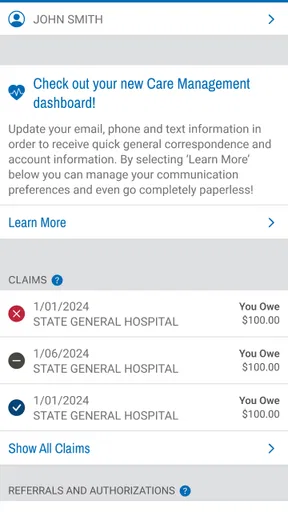
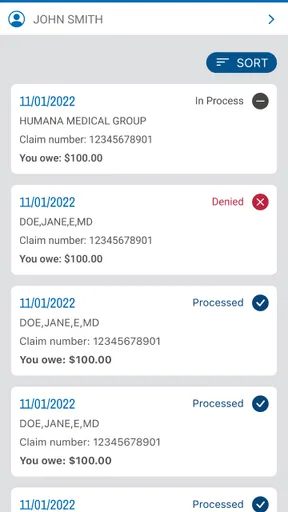
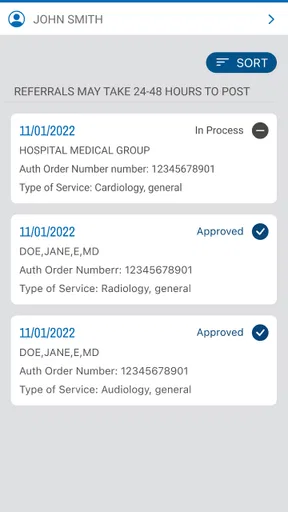
- Secure access to claims, referrals, authorizations, and benefit details.
- Find nearby network providers and pharmacies using location-based search.
- Digital ID card is convenient when visiting doctors or filling prescriptions.
- Notifications can help users track updates, messages, and important account activity.
- Useful tools for checking eligibility and reviewing coverage information on the go.
Limitations of TRICARE East
- Some features may require a registered beneficiary account and identity verification.
- Provider search results can vary by location and may need confirmation before appointments.
- Certain claims or authorization details may take time to appear in the app.
- Users may still need to contact customer service for complex benefit questions.
- Performance and available features can differ depending on device and app version.
Similar Picks in This Category
View All
WebMD: Symptom Checker
WebMD, LLC4.1

Microphone Amplifier
DOSA Apps4.2

Anatomy Learning - 3D Anatomy
3D Medical OU4.5

Period Tracker and Calendar
SimpleInnovation4.9

GoodRx: Prescription Coupons
GoodRx4.8

CVS Health
CVS Pharmacy4.5
Frequently Asked Questions
What is TRICARE East, and who can use the app?
TRICARE East is the mobile service platform for eligible TRICARE beneficiaries whose health plan is administered by Humana Military. After installing it, users can typically access plan information, review claims, locate network providers, check authorizations, and manage certain account details. Availability depends on your beneficiary status, region, and enrollment, so confirm that your coverage is handled by the East Region before registering.
How do I sign in to the TRICARE East app?
You generally sign in with your Humana Military or TRICARE East account credentials rather than creating an unrelated profile inside the app. New users may need to complete registration using identifying information connected to their military health benefits. Keep your login details secure, and make sure the app is downloaded from an official store. If authentication fails, use the account-recovery options or contact beneficiary support.
What can I do with the TRICARE East app?
The app is designed to make common healthcare administration tasks easier when you are away from a computer. Depending on your eligibility and current app version, you may be able to view coverage details, search for participating doctors and facilities, review claims, access digital identification information, check referrals or authorizations, and find contact options. Some services may redirect you to a secure website.
Can I use TRICARE East to find a doctor or check whether a provider is in network?
Yes, one of the most useful features is provider searching for doctors, hospitals, pharmacies, and other healthcare facilities connected with your TRICARE network. Search results can depend on your plan, location, specialty, and the accuracy of provider records. Before making an appointment, review the displayed details and contact the provider directly to confirm network participation and appointment availability.
Is the TRICARE East app free, and is my personal information secure?
The TRICARE East app is generally free to download, although normal mobile data charges may apply. Because it can handle sensitive healthcare and beneficiary information, access normally requires secure authentication and may include additional verification measures. Install updates promptly, avoid signing in on shared devices, and use only official app-store listings. The app itself does not remove your responsibility to protect passwords and account access.
